Devly
Cron syntax is compact enough to fit in a config file and cryptic enough to get wrong at 2 AM. Five fields, a handful of special characters, and the difference between "every Monday" and "every day in Monday's month" is one misplaced asterisk. Most of us check our expression on a website, or worse, deploy it and wait to see what happens.
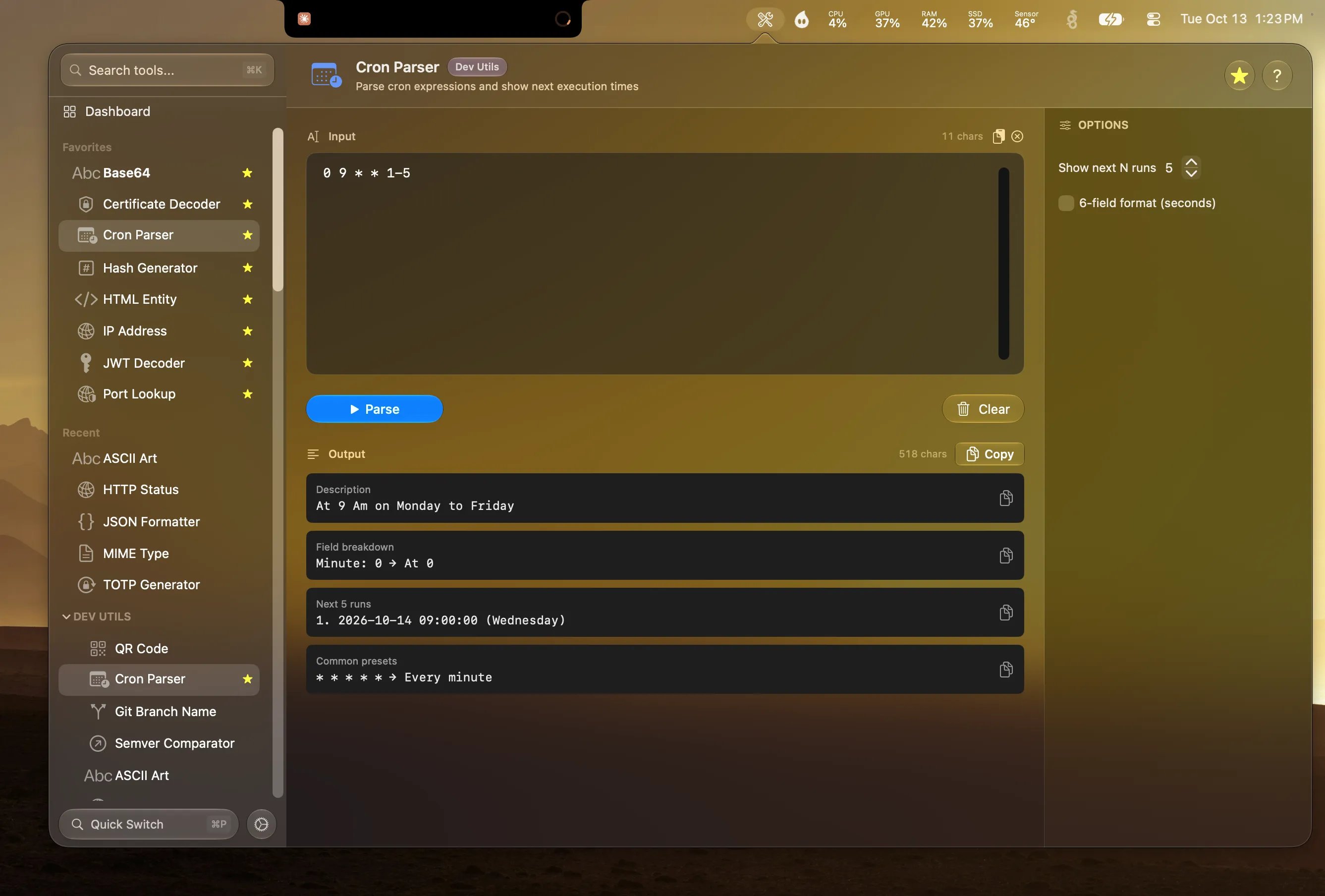
Devly's Cron Parser answers the only question that matters: when will this actually run?
What it shows you
- A plain-English description of the schedule.
- A field-by-field breakdown of minute, hour, day of month, month and day of week.
- The next run times, from 1 to 20 of them, 5 by default.
- 6-field support for schedulers that include a seconds field.
- Named days, so MON-FRI works as well as 1-5.
- Common presets for every 5 minutes, every hour, weekdays at 9 AM and more.
Five fields, quickly
A standard cron expression has five fields, in this order:
┌ minute (0-59)
│ ┌ hour (0-23)
│ │ ┌ day of month (1-31)
│ │ │ ┌ month (1-12)
│ │ │ │ ┌ day of week (0-6 or SUN-SAT)
0 9 * * 1-5
That one runs at 9:00 AM on weekdays. A * means every value, */15 means every fifteenth value, 1-5 is a range and 1,15 is a list. Some schedulers, including Quartz and many cloud job runners, add a seconds field at the front. Turn on 6-field format in Devly and it reads those too.
Catch the mistake before it ships
The classic cron bug is a job that runs far more often than intended. * 9 * * * looks like "9 AM every day" but means every minute from 9:00 to 9:59. Paste it into the Cron Parser and the next run times make the problem obvious: 9:00, 9:01, 9:02.
- Press ⌃⌥⌘D, then ⌘P and type "cron".
- Paste the expression from your crontab, CI config or scheduler.
- Read the description and check the next few run times.
- Adjust until the schedule is what you meant, then copy it back.
It works the same from Terminal: devly cron "0 9 * * 1-5" prints the description and upcoming runs, which is handy in a review or a script.