You are deep in a debugging session. You need to verify a file checksum, generate an HMAC signature for an API request, or produce a SHA-256 hash of a string for a cache key. The reflex is to open a browser and search for an online hash generator. You find one, paste your input, and get the result. But somewhere in the back of your head, a small alarm goes off: you just pasted potentially sensitive data into a website you know nothing about. Is that random tool logging your inputs? You genuinely do not know.
This pattern happens constantly in development, and it is a habit worth breaking. A good hash generator for Mac should live on your machine, not in a browser tab.
What developers actually use hash functions for
Hash functions come up in more places than most developers initially expect. The obvious ones are password hashing and data integrity verification. But day-to-day, you encounter hashing in a wider set of workflows:
- File checksum verification when you download a binary or release artifact and want to confirm it matches the published hash
- HMAC signatures for authenticating API requests, where the signature is a keyed hash of the request body or headers
- Cache busting by hashing file contents to generate cache keys that change when the file changes
- Data integrity checks when passing data through multiple systems and verifying nothing was corrupted in transit
- Content addressing in storage systems where the hash of the content is also its identifier
These scenarios come up regularly across backend work, DevOps, and security testing. Having a reliable hash generator available instantly makes each of them faster.
The problem with online hash tools
Online hash tools are convenient, but they carry real risks. The most obvious one is privacy: every input you paste into a website is handled by a server you do not control and cannot audit. For a hash of a public filename, that probably does not matter. For an API key, a password, or a sensitive payload, it matters a lot.
There is also the workflow problem. Using an online tool requires you to already be in a browser, which means a context switch. You lose your place in whatever you were doing. You find the tool, paste the input, copy the output, close the tab, and try to remember where you were. For something you do dozens of times a week, this overhead adds up.
How Devly handles hashing on Mac
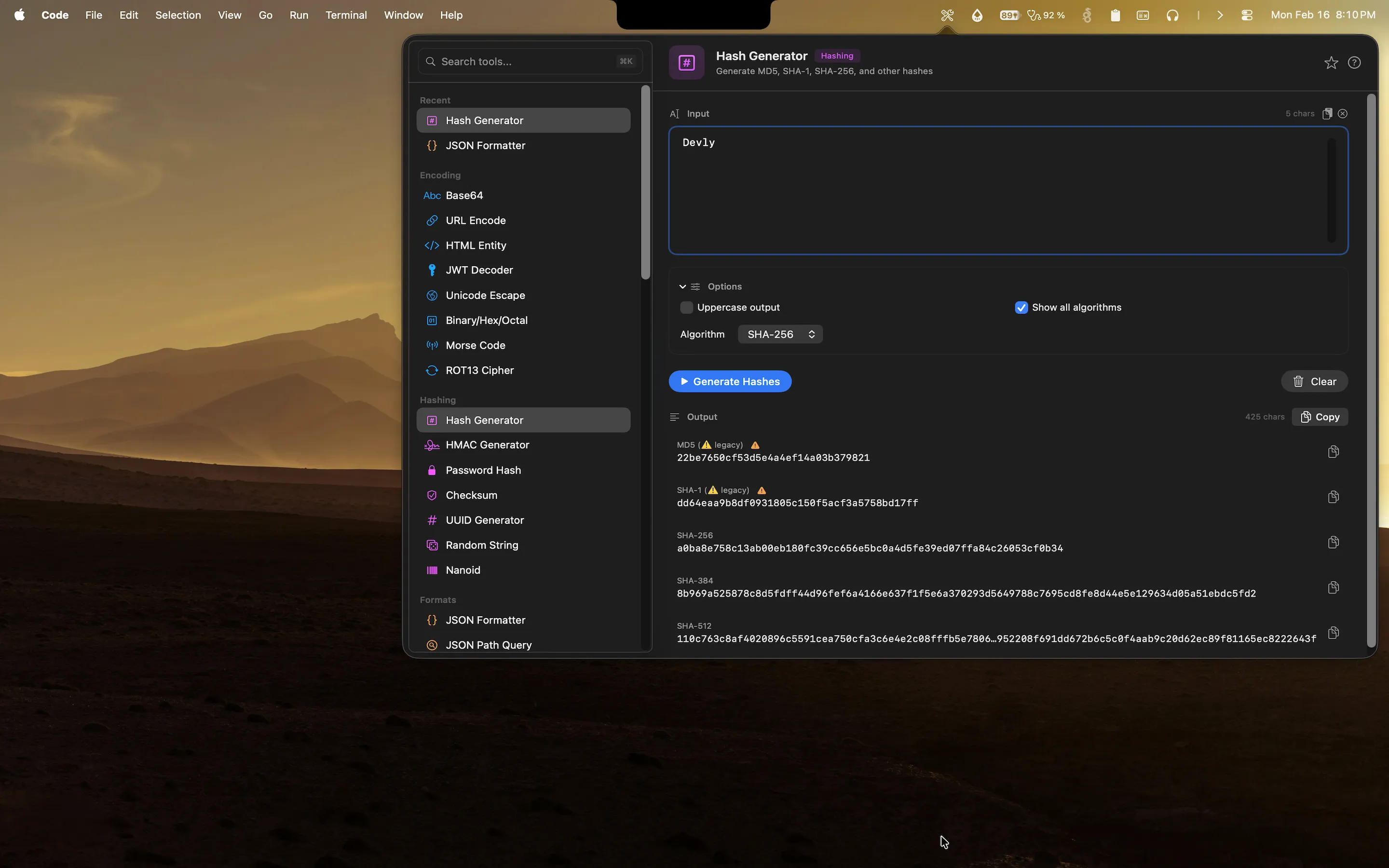
Devly is a native macOS app that lives in your menu bar. Its hash generator tool is always one keyboard shortcut away: press Option+Command+D to open Devly from anywhere on your Mac, then type "hash" in the search bar to find the tool. Paste or type your input, and Devly instantly outputs MD5, SHA-1, SHA-256, SHA-384, and SHA-512 all at once. You do not need to pick an algorithm first. You get everything simultaneously and copy whichever you need.
Everything runs on-device. No network request is made. Your input stays on your Mac for the duration of the session and is cleared when you close Devly.
HMAC support built in
If you are building APIs that require signed requests, Devly's HMAC generator handles the full workflow. Specify the secret key, choose from multiple underlying algorithms (SHA-256, SHA-512, and others), paste the message, and get the HMAC output immediately. Copy it and move on. No need to drop into a code editor or scratch file just to verify a signature.
File checksum verification
Drag a file onto Devly and it computes the checksum instantly. This is particularly useful for verifying downloaded binaries, release artifacts, or any file where the publisher has provided a reference hash. Compare the output to the published hash directly in Devly without opening a terminal.
Try the hash generator in Devly
MD5, SHA-256, SHA-512, HMAC, and file checksums. All on your Mac, all offline. One-time $4.99.
Hashing is one of 50+ tools in Devly
The hash generator does not exist in isolation. Right next to it in Devly's Hashing and Security category you have: the PBKDF2 password hash tool, the UUID generator (all versions including v7), the HMAC generator, a cryptographic random string generator, and a Nano ID generator. All of them are accessible from the same app, with the same keyboard-first interface.
This matters because hashing workflows often involve multiple tools. You might generate a UUID to use as a salt, hash a value with HMAC, and verify a file checksum, all in the same debugging session. Having them all in one place means no context switching between different websites or applications.
Why keeping everything local matters
Developers handle sensitive data constantly, often without thinking about it. API keys in environment variable names you paste to demonstrate a format. Auth tokens you copy out of a request inspector. Test passwords that are close enough to real ones to be risky. Certificate payloads. Private key fragments.
Every time any of that gets pasted into a website, you are making a trust decision. Devly removes that decision entirely. There are no servers, no analytics, no accounts, and nothing stored beyond the current session. You can hash anything without worrying about where it goes.