Devly
Full API platforms are great when you're managing collections, environments and a team. They're a lot of app for "does this endpoint return what I think it returns?" Opening one means waiting for it to load, signing in, finding the right workspace, and creating a request you'll throw away in a minute.
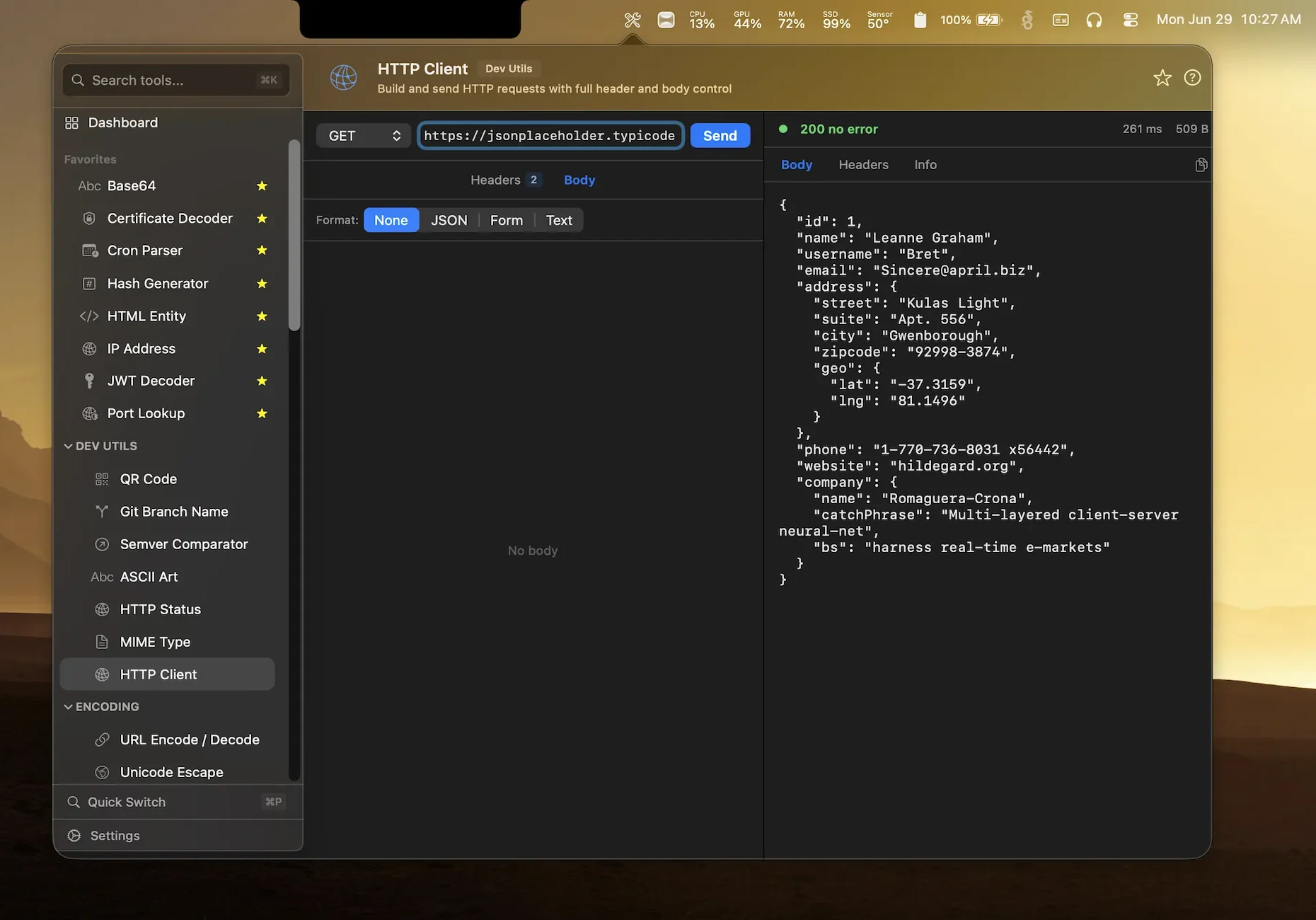
Devly includes an HTTP Client for exactly those moments. It opens from the menu bar in under a second, sends the request, and shows you a readable response.
What you can send
- Every common method: GET, POST, PUT, PATCH, DELETE, HEAD and OPTIONS.
- Custom headers, added one by one, for auth tokens, content types or anything else.
- A request body as JSON, form data or plain text, or no body at all.
- A readable response with the status code, how long it took, and the size.
- Body, headers and info tabs so you can check a response header without scrolling past the JSON.
No account, no sync, no history in the cloud
Devly doesn't have accounts, and the HTTP Client doesn't sync anything anywhere. The only network traffic it creates is the request you build, sent straight from your Mac to the URL you typed, when you press Send. It's the one tool in Devly that uses the network at all, and only on purpose.
That matters when the request carries a production token. It goes to your API and nowhere else.
A typical check
- Press ⌃⌥⌘D, then ⌘P and type "http".
- Pick a method and paste the URL.
- Add an
Authorizationheader if the endpoint needs one. - For a POST or PUT, choose JSON and paste the body.
- Press Send and read the response.
If the response is a big JSON blob you want to dig into, copy it into Devly's JSON Formatter or JSONPath Query tool, two keystrokes away. If the API hands you a token, the JWT Decoder shows what's inside it.
When to reach for something bigger
The HTTP Client is deliberately small. It doesn't do collections, environments, scripted tests or team sharing. If you live in an API all day, a dedicated API platform earns its place. For the quick checks in between, which for most developers is most of them, a menu bar tool is simply faster.
And if you'd rather stay in the terminal, curl piped into devly jsonformat formats the response for you. The CLI docs show how.