Devly
Certificates turn up everywhere in development: a staging server with the wrong hostname, a client certificate for an internal API, a bundle in a Kubernetes secret, an expiry warning from monitoring. Each time, the question is the same. Who issued this, which names does it cover, and when does it expire?
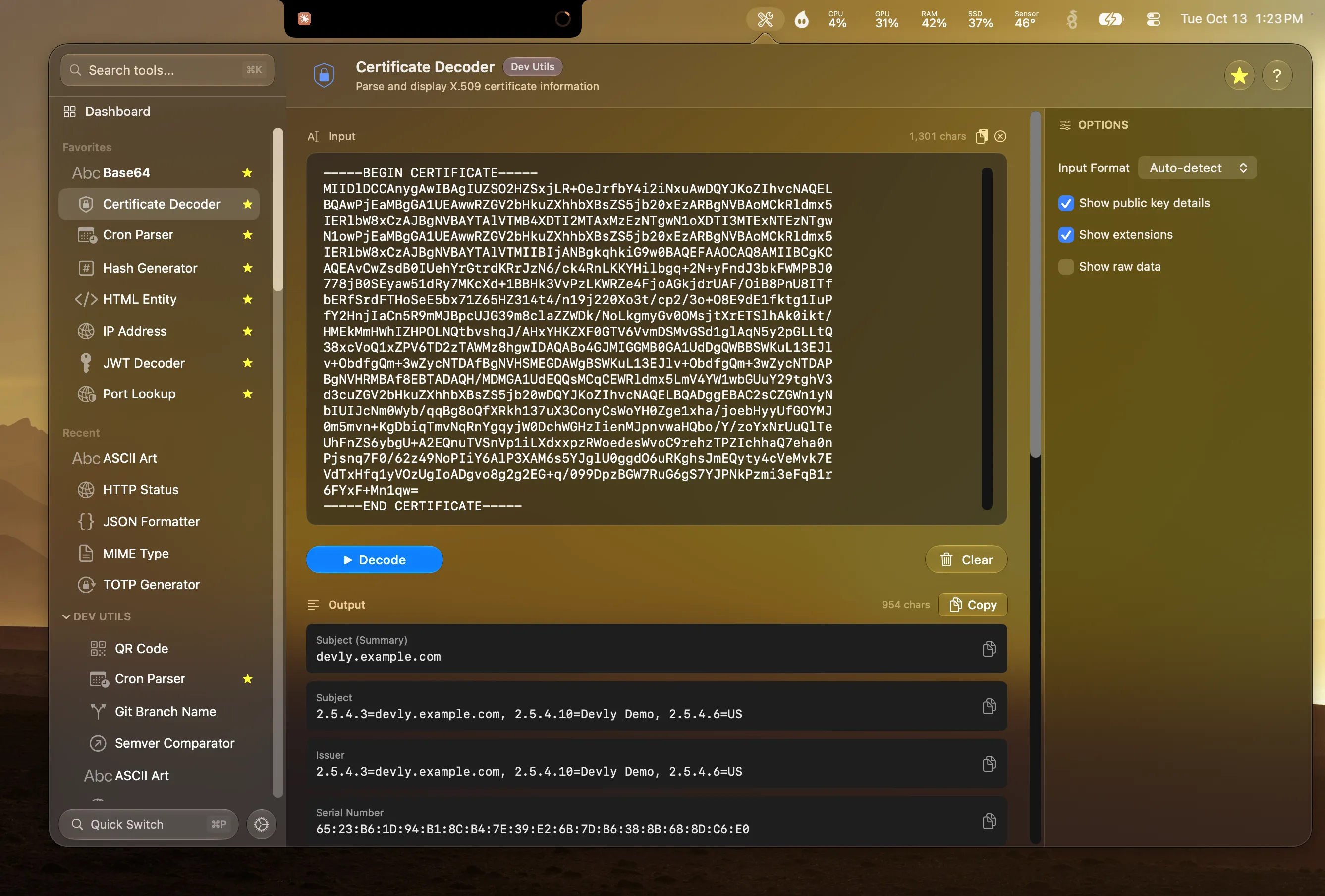
Devly's Certificate Decoder answers all three from a paste.
What it shows
- Subject and issuer, so you know who the certificate is for and who signed it.
- Subject Alternative Names, the hostnames the certificate actually covers.
- Valid from and valid until, with expired certificates clearly flagged.
- Key type and size, plus the signature algorithm.
- Key usage, extended key usage and basic constraints, to tell a server certificate from a CA.
- Serial number and SHA-1 and SHA-256 fingerprints for matching against what a server presents.
It accepts PEM, the text block that starts with -----BEGIN CERTIFICATE-----, and Base64-encoded DER. Leave the format on Auto-detect and Devly works out which one you pasted.
The hostname mismatch, solved in seconds
The most common certificate problem in development isn't expiry, it's a name mismatch. The browser says the certificate isn't valid for api.staging.example.com, and you need to know which names it is valid for. That's the Subject Alternative Names field. Modern browsers ignore the subject's common name and only check SANs, so if your hostname isn't in that list, it won't work.
- Grab the certificate. From a live server:
openssl s_client -connect host:443 -showcerts, or export it from your browser. - Press ⌃⌥⌘D, then ⌘P and type "cert".
- Paste the PEM block.
- Check Subject Alternative Names and Valid Until.
Why paste it locally
A certificate on its own is public information. But the files around it often aren't: a PEM bundle can sit right next to a private key, and online decoders invite you to paste whole files. Decoding locally removes the risk of pasting the wrong block into someone else's website. Devly reads the certificate on your Mac and sends nothing anywhere.
From the terminal, devly ssl does the same with a file or piped input. It pairs well with the Hash Generator and Base64 tools when you're untangling encoded keys and fingerprints.