Devly
If you've ever added two-factor authentication to an app, you know the loop. Generate a secret, show a QR code, pick up your phone, scan it into an authenticator app, type the six digits back in, realise something's off, and repeat. Your authenticator fills up with "Test Account (3)" entries you'll never use again.
Devly's TOTP Generator keeps that loop on your Mac. It's built for developers testing 2FA, not as a replacement for your real authenticator.
Import from a QR code without a camera
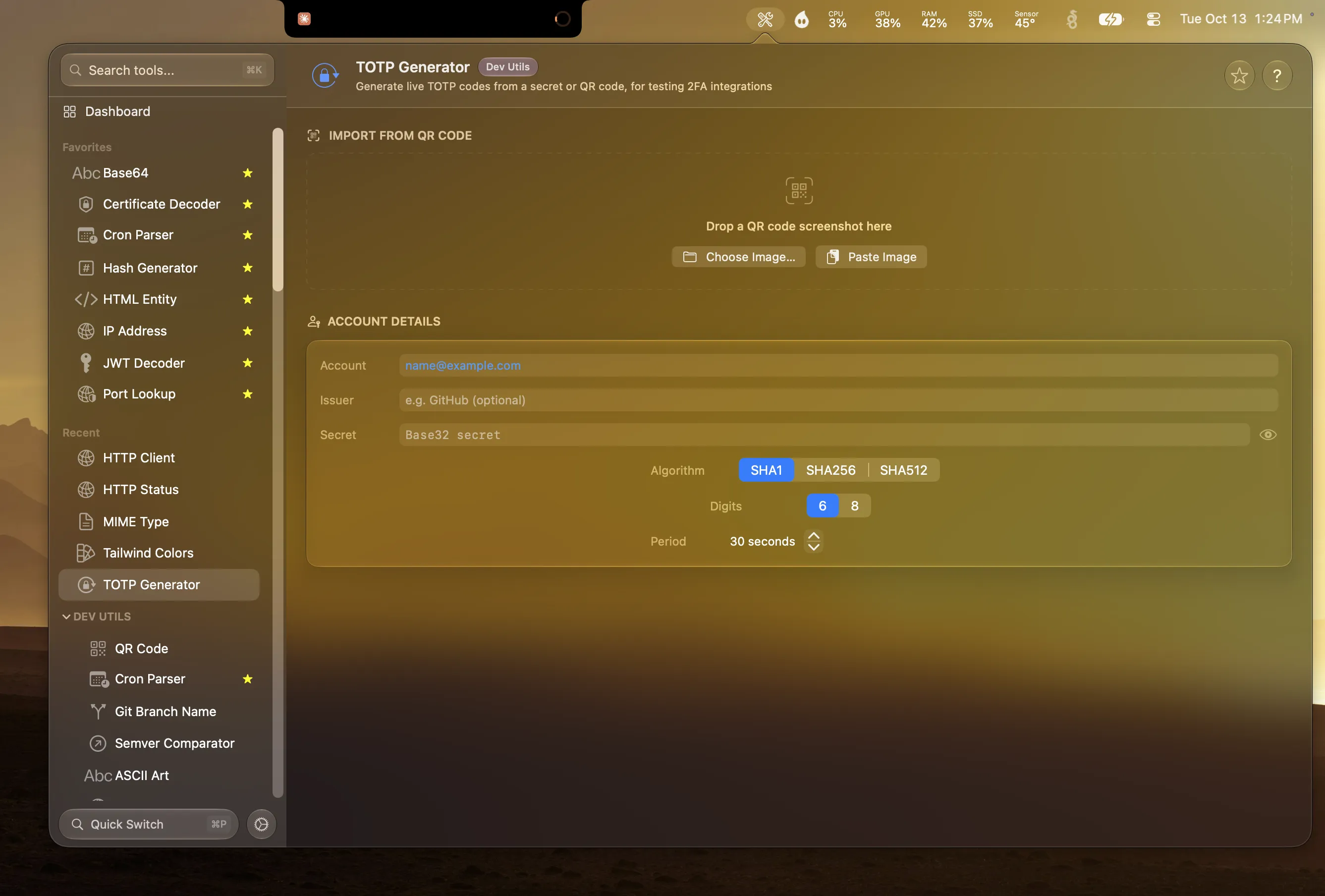
The setup QR code is already on your screen, so Devly reads it from there. Drop a screenshot of the QR code onto the tool, choose an image file, or paste an image straight from your clipboard. Devly decodes the otpauth:// link inside and fills in the account, issuer, secret, algorithm, digits and period for you.
You can also type a Base32 secret by hand. Devly tells you right away if it doesn't look valid.
- QR import by dropping a screenshot, choosing an image, or pasting from the clipboard.
- Manual setup with a Base32 secret, account name and issuer.
- SHA-1, SHA-256 and SHA-512, with 6 or 8 digit codes and a custom period.
- A live code with a countdown showing when it refreshes.
- Copy Code and Copy Setup URI, so you can paste the code into your login form or the otpauth:// link into another tool.
Your test secrets stay in memory
TOTP secrets are credentials, even test ones. Devly's TOTP Generator keeps them in memory for the current session only and never writes them to disk. Quit Devly and they're gone. Nothing is synced, and nothing leaves your Mac.
Testing a 2FA flow
- Start your app's "enable two-factor" flow so it shows a QR code.
- Take a screenshot of the QR code (⇧⌘4).
- Open Devly, press ⌘P, type "totp", and drop the screenshot in.
- Type the live code into your app to confirm the setup.
- Check edge cases: wait for the countdown to roll over and try the old code.
The standards are RFC 6238 for TOTP, built on RFC 4226. Most services use SHA-1, 6 digits and a 30 second period, which are Devly's defaults. If your server is configured differently, match the settings and the codes will line up.
Related tools are next door: the Hash Generator and HMAC Generator for checking signatures, and Base64 for inspecting encoded secrets.