XML never went away. Developers who swear they will never touch it end up staring at raw minified XML from a SOAP API response, an Android resource file, a Maven configuration, or an iOS plist, trying to make sense of it fast. You need to format it so you can read it. Maybe you need to validate that it is well-formed before you process it. Maybe you want to convert it to JSON so you can work with it more comfortably. Having to use a browser tool for each of those tasks adds friction that compounds over a working day.
A proper XML formatter for Mac handles all three without leaving your editor or opening a browser tab.
Why XML formatting is still a real problem in 2026
Enterprise APIs, Android and iOS development, CI/CD configurations, data exchange formats, RSS feeds, SVG files: XML appears in a wider range of contexts than most developers expect. And when it arrives minified or malformed, the first thing you need is a way to read it. A single missing closing tag or mismatched attribute quote makes the entire document invalid, but in minified form you cannot spot the error without help.
Pasting XML into a browser tool works, but you are handing potentially sensitive data to a server you do not control. Configuration files may include API keys, credentials, or internal service names. XML responses from internal services may include user data. The browser approach is convenient but not always appropriate.
What you actually need from an XML tool
The three tasks developers reach for most often are: pretty-print the XML so it is readable, validate that it is well-formed, and convert it to JSON when the rest of your code expects that format. Having separate tools for each of those is unnecessary friction. One tool that does all three is the right answer.
How Devly handles XML on Mac
Devly has a dedicated XML formatter and validator that runs entirely on your Mac. Paste in raw or minified XML and it formats it with proper indentation. If the XML has structural errors, Devly highlights them so you can see exactly where the problem is. No page reload, no network request, no copying between browser tabs.
Press Option+Command+D to open Devly from anywhere on your Mac, search for "XML formatter," paste your input, and process with Command+Return. The output is ready to copy instantly.
XML to JSON conversion
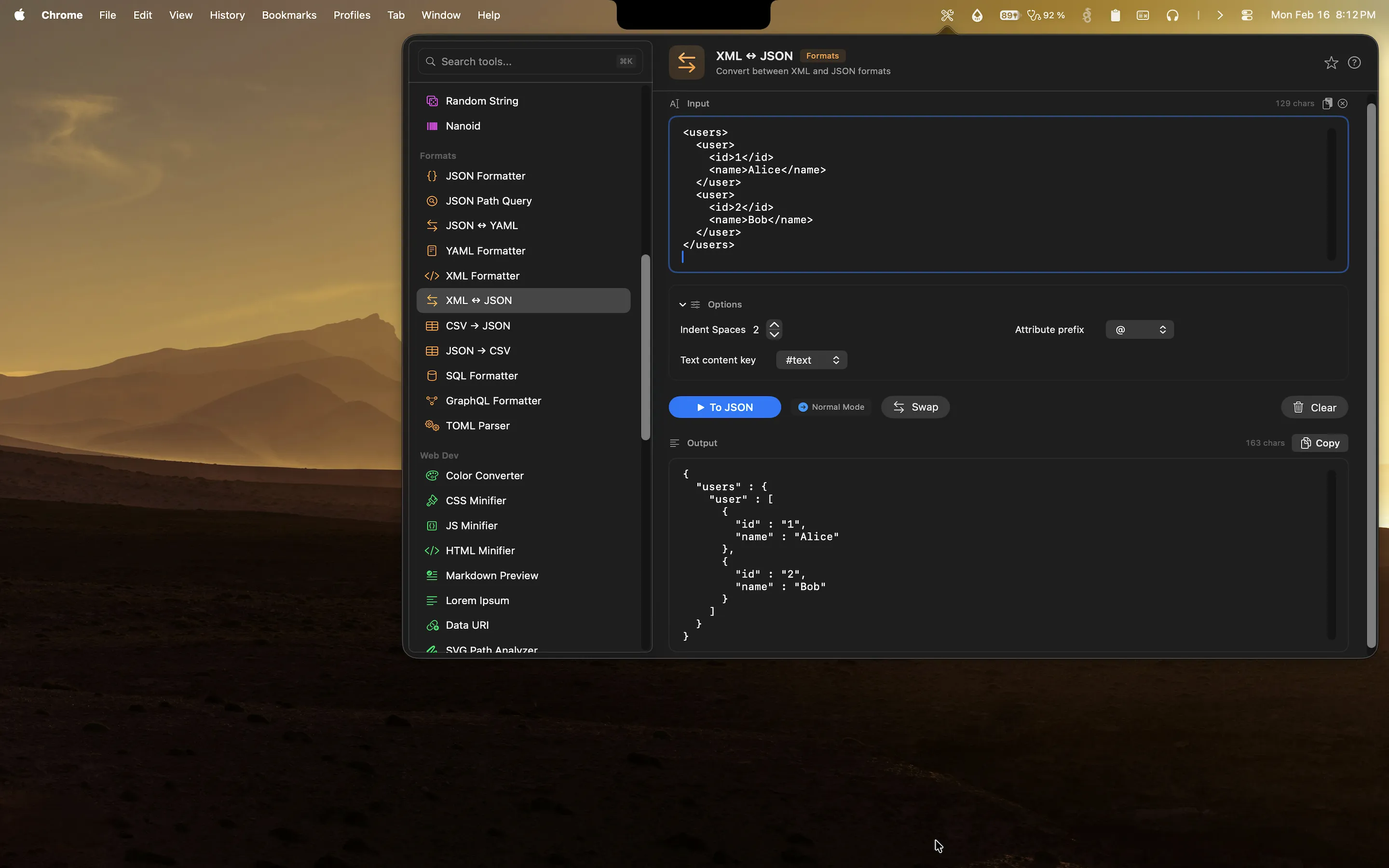
Devly also includes an XML to JSON converter. If you have an XML response you need to work with in JavaScript, Python, or any other language that handles JSON more naturally, paste the XML and get clean JSON output. The converter handles nested elements, attributes, and text nodes correctly, including edge cases like elements that have both attributes and text content. The result is idiomatic JSON you can use directly.
Handles large XML without slowing down
Because Devly is a native macOS app built with Swift and SwiftUI, it is not constrained by browser memory limits or JavaScript parsing overhead. Large XML documents that would cause a web-based formatter to slow down or time out format instantly in Devly. The performance difference is noticeable with real-world XML from enterprise APIs.
Format and validate XML on your Mac, offline
Pretty-print, validate, and convert XML to JSON natively. One-time $4.99, no accounts required.
One formatter for many formats
Devly formats JSON, YAML, XML, SQL, GraphQL, and TOML. If you work across multiple data formats, you have one place to go for all of them. No hunting for "XML formatter online" every time, no different interface per tool. Search with Command+K, format with Command+Return, copy with Command+Shift+C.
Why native tools are better for this kind of work
Web-based formatters have real downsides beyond the privacy question. They require internet access, which means they do not work on a plane or in an environment with restricted connectivity. They live in browser tabs that compete with everything else you have open. They require you to already be in a browser, which is a context switch away from your code editor or terminal.
Devly lives in your menu bar. It is always one keyboard shortcut away regardless of which application you are using. You can format XML while you are inside Xcode, VS Code, or any other tool, without switching to a browser at all.